Beginner manual
GoMining Manual for Beginners
A plain-English walkthrough of GoMining for people who want the short version first and the detail next. It explains what a digital miner is, what drives rewards, what changes between Mining Mode and Miner Wars, and where to find the official GoMining Academy, docs and videos.
1. Start here
If you are new, the easiest way to think about GoMining is this: you are buying a digital miner tied to real Bitcoin-mining infrastructure. The miner has a size, an efficiency level and a set of costs that affect the BTC you keep.
Do not start by memorizing every feature. Start by understanding four questions: what do I own, how much does it earn, what does it cost to keep and what happens if I change the mode or the settings?
Where to begin
- Open the GoMining home page and look for the dashboard, miners and reward areas.
- Read the GoMining Basics Course in the official Academy.
- Then read the product docs so the labels on the screen make sense.
What matters first
- Computing power: how much mining share you have.
- Energy efficiency: how much power the miner uses.
- Maintenance and discounts: what reduces your net result.
- Mode: passive Mining Mode or competitive Miner Wars.
What this manual does
- Explains the platform like a beginner would hear it from a helpful friend.
- Uses official GoMining learning material wherever possible.
- Points you to the next page instead of burying you in jargon.
What you should see
- A mining dashboard with miners, rewards and settings.
- A clear place to read the docs or academy lessons.
- A path from "I am lost" to "I understand the basics."
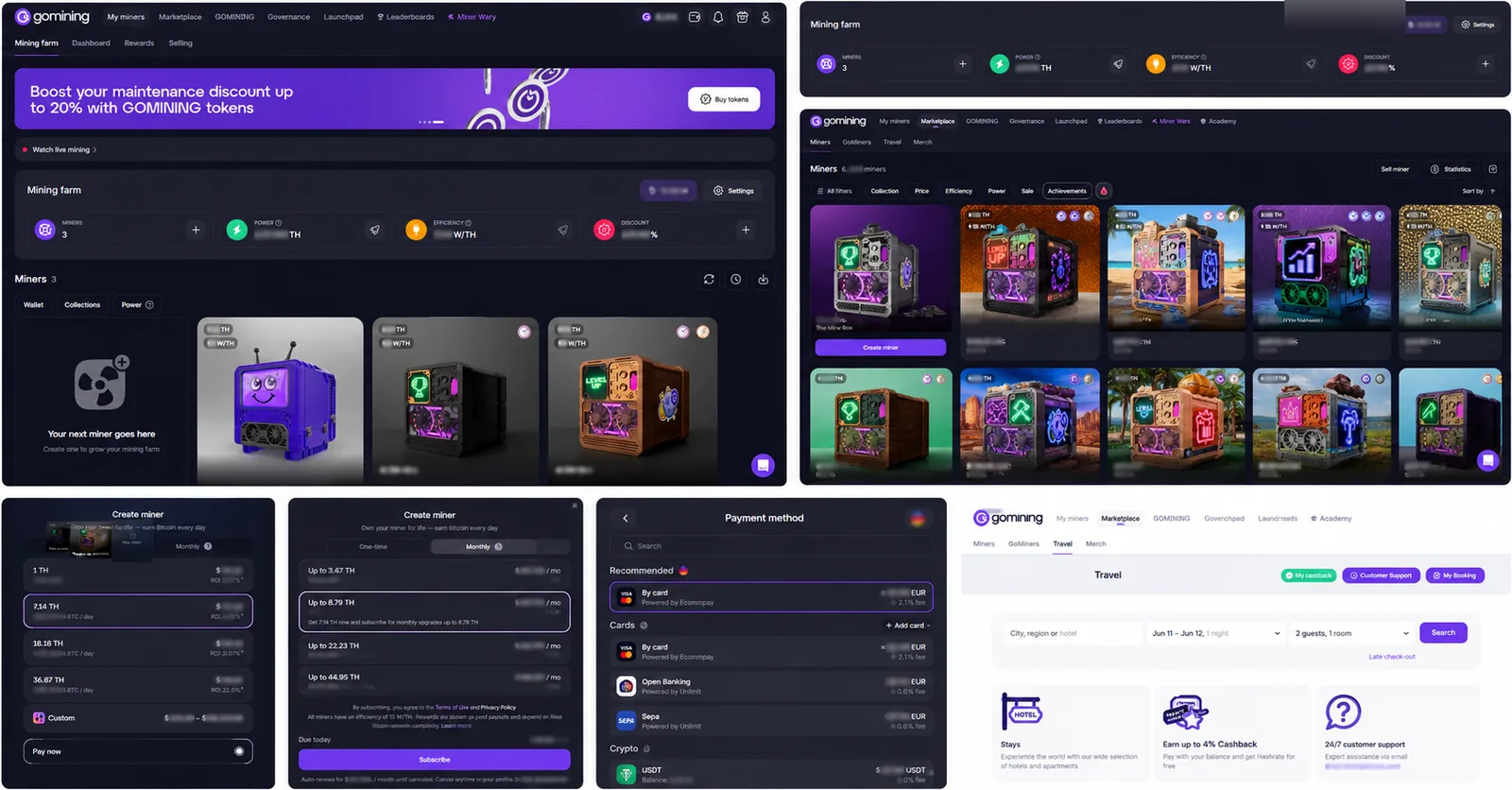
2. What you are actually buying
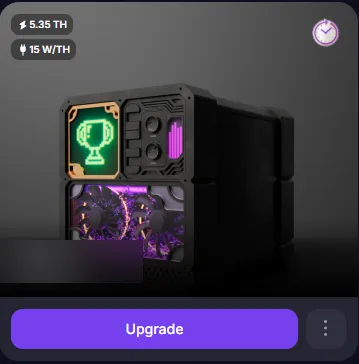
A beginner can think of a digital miner as a slice of mining power with a visual identity. The important part is not just the picture of the miner; it is the computing power and energy efficiency behind it.
In simple words: more TH/s usually means a larger share of the mining pool, while better W/TH usually means lower operating drag. Those two numbers together matter more than a flashy banner or a single advertised value.
Where to look
- GoMining Docs: Miners.
- GoMining Docs: About.
- Your personal account, where the miner is listed after purchase or creation.
What to compare
- TH/s: the size of your mining share.
- W/TH: the efficiency that influences operating cost.
- Maintenance fees and discounts: what you keep after costs.
What this means
- You are not buying a random image or a vague promise.
- You are buying a product whose value depends on measurable mining variables.
- The right question is not "is it pretty?" but "does the math still work?"
What beginners should avoid
- Comparing miners only by price.
- Ignoring maintenance.
- Assuming higher TH/s always wins without checking efficiency and cost.
3. How rewards work
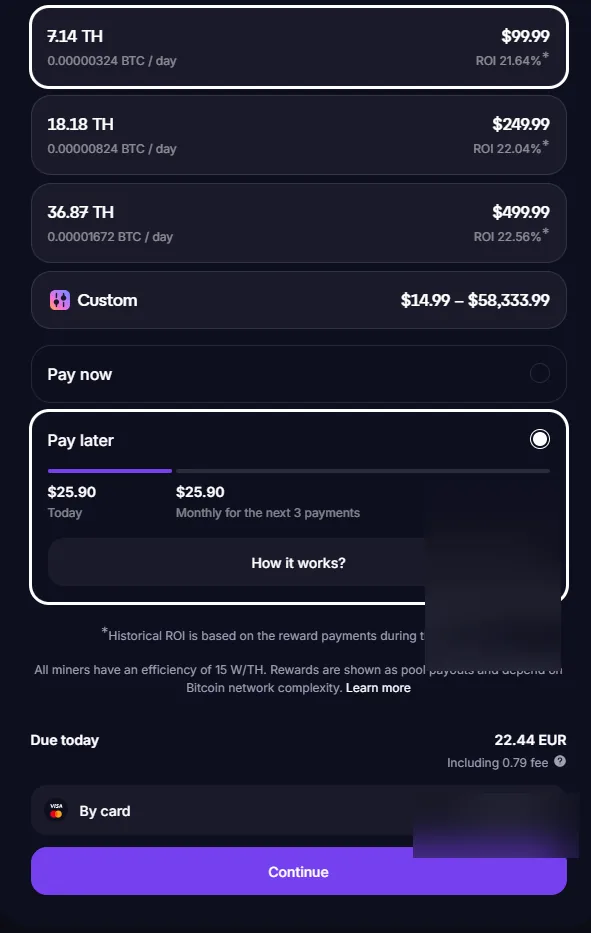
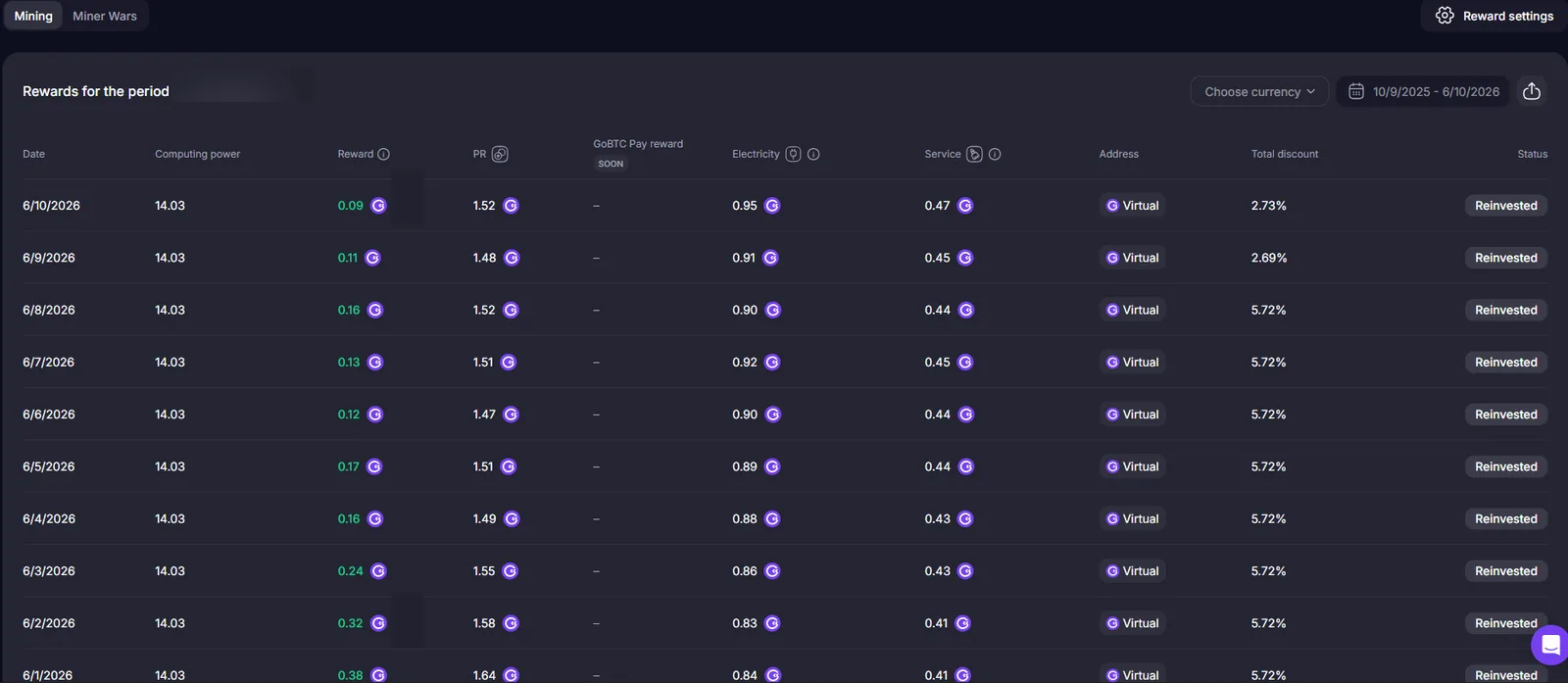
This is the part beginners usually want to understand first. In plain English: if your miner is active, it can produce BTC rewards. The amount depends on your miner size, its efficiency, the cost structure and the network conditions around it.
The official docs explain that rewards are distributed in BTC and that the result is affected by the mining pool, maintenance and the mode you are using. That is why a screenshot of a return is never the whole story.
Where to learn
- GoMining Docs: Mining Mode.
- GoMining Docs: Rewards.
- GoMining Academy lessons about rewards and fees.
What changes the result
- Your computing power.
- Your energy efficiency.
- Maintenance, discounts and token-related benefits.
- Bitcoin market conditions and mining difficulty.
What this means in real life
- Two miners can look similar but perform differently.
- A lower fee can matter as much as a bigger miner.
- Reinvesting rewards can change the story over time.
What to remember
- Do not judge the platform on one number.
- Do not ignore costs.
- Do not assume daily rewards stay identical forever.
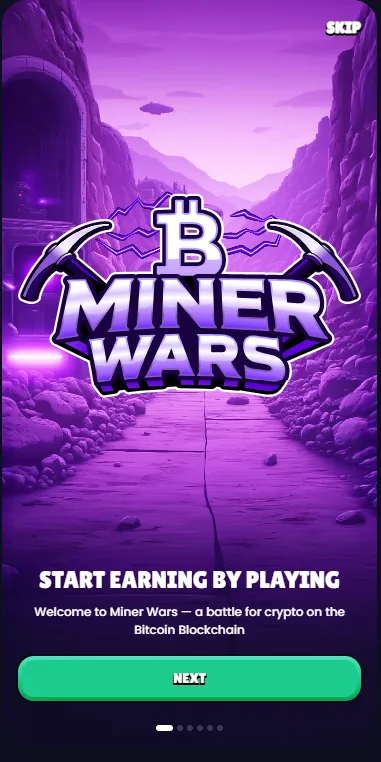
4. Mining Mode vs Miner Wars
Think of Mining Mode as the quiet, default path and Miner Wars as the competitive path. Mining Mode is easier to understand because rewards are tied to holding a miner. Miner Wars adds clans, rounds and game-like competition.
If you are a beginner, start by understanding Mining Mode first. Then read Miner Wars as a separate system with its own rules, timing and risk profile.
Where to learn
- GoMining Docs: Mining Mode.
- GoMining Docs: Miner Wars.
- GoMining Docs: Getting Started.
Simple distinction
- Mining Mode: hold a miner and receive BTC rewards.
- Miner Wars: join a clan and compete in cycles.
- Switching modes changes how the platform behaves.
What beginners should ask
- Do I want a passive experience or a competitive one?
- Do I understand the timing and reward differences?
- Am I comfortable with the extra moving parts in Miner Wars?
What this means
- Do not mix up the two modes.
- Do not assume the same reward logic applies to both.
- Read the docs before joining a clan or switching.
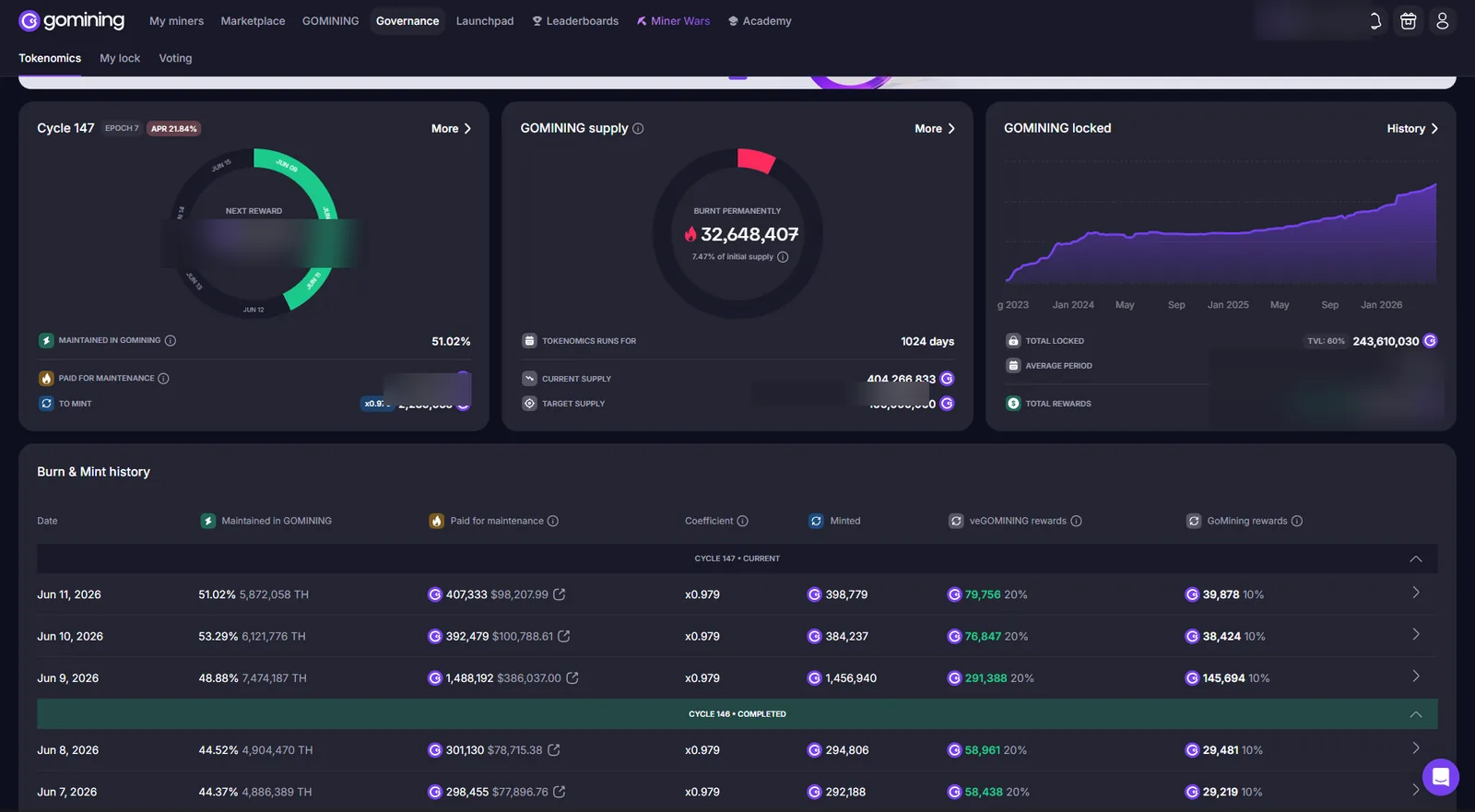
5. Costs, discounts and token
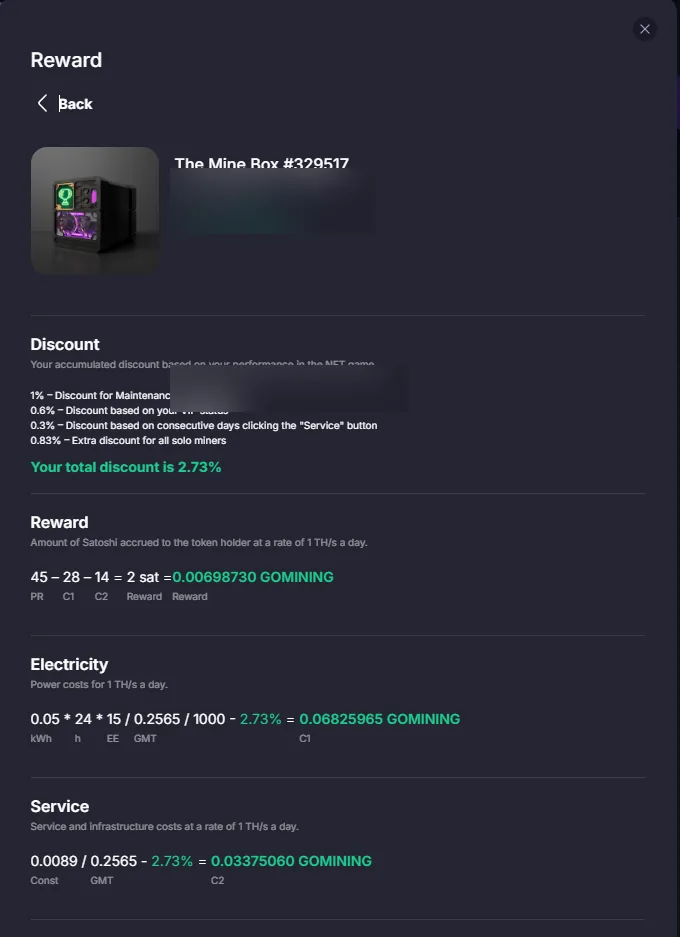
This is the section that saves beginners from bad surprises. The platform has costs, and those costs can change through discounts, token use, locking or subscription choices. If you skip this part, your rough estimate will be too optimistic.
The easiest way to think about it is: gross reward first, then operating drag, then discounts or perks, then the number you actually keep.
Where to learn
- GoMining Docs: Maintenance Fees and Discounts.
- GoMining Docs: Miner Subscriptions.
- GoMining tokenomics page and Academy lessons about the token.
What matters most
- Maintenance fees.
- Discounts tied to token or ecosystem actions.
- Whether a subscription changes your miner over time.
What beginners should know
- A better discount can matter more than a small change in headline rewards.
- The token is not a magic shortcut; it is part of the economics.
- Subscriptions and lockups trade flexibility for potential benefits.
What this means
- Always compare the net result, not the gross one.
- Read the tokenomics before treating the token as a simple utility tool.
- Use the docs to verify what is current, not what someone said last year.
6. Official learning resources
If you want the source material, start here. These are the official GoMining learning and documentation pages I would send to a beginner before they spend money.
Docs for beginners
Docs for deeper reading
Official docs and papers
Official videos and updates
What to do with these links
- Use the Academy for the beginner-friendly explanation.
- Use the docs when you want the current product rules.
- Use the videos and livestreams when you want to see the platform in motion.
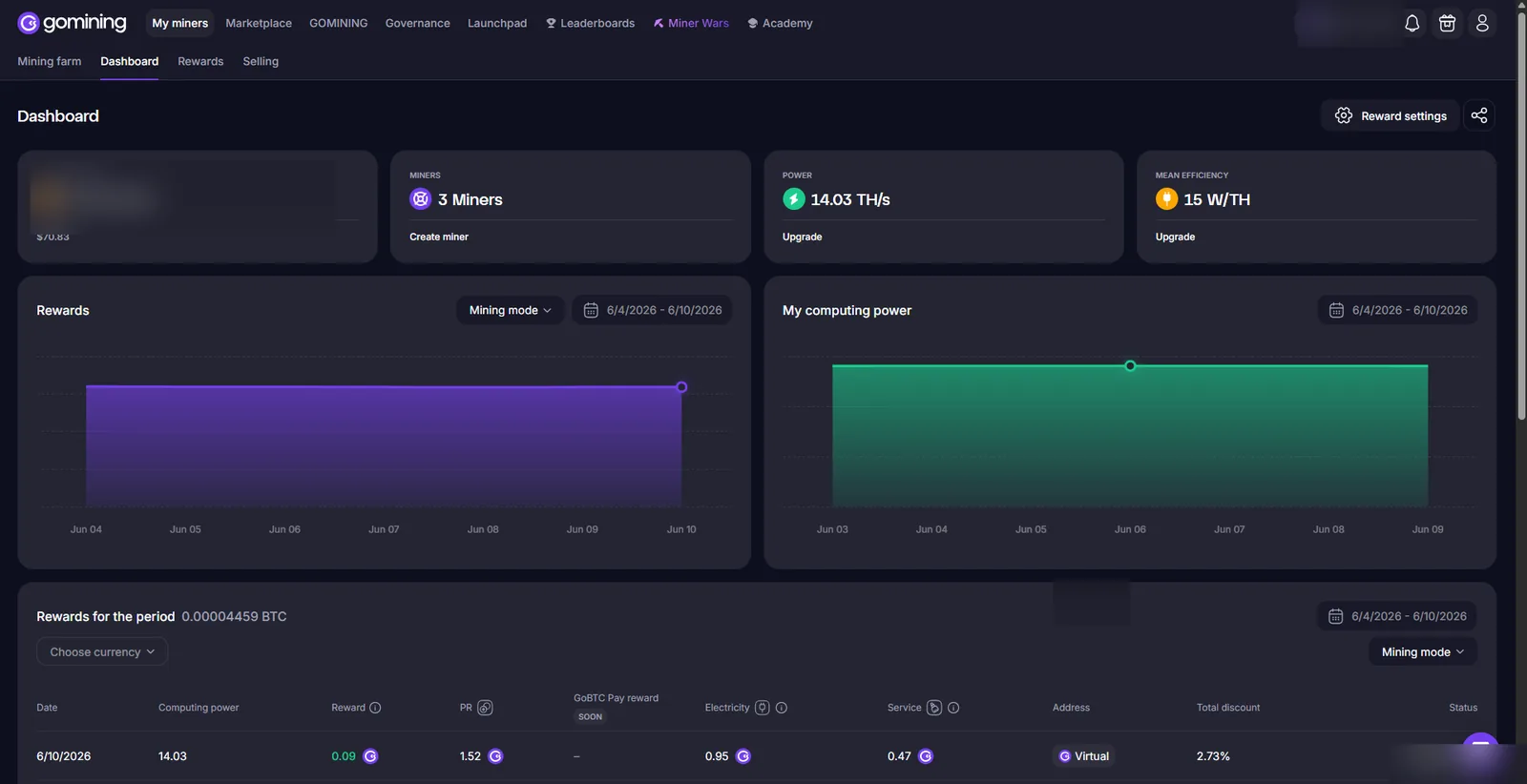
Screenshot gallery
These screenshots help you connect the words in the manual to the visuals on the platform.
Dashboard
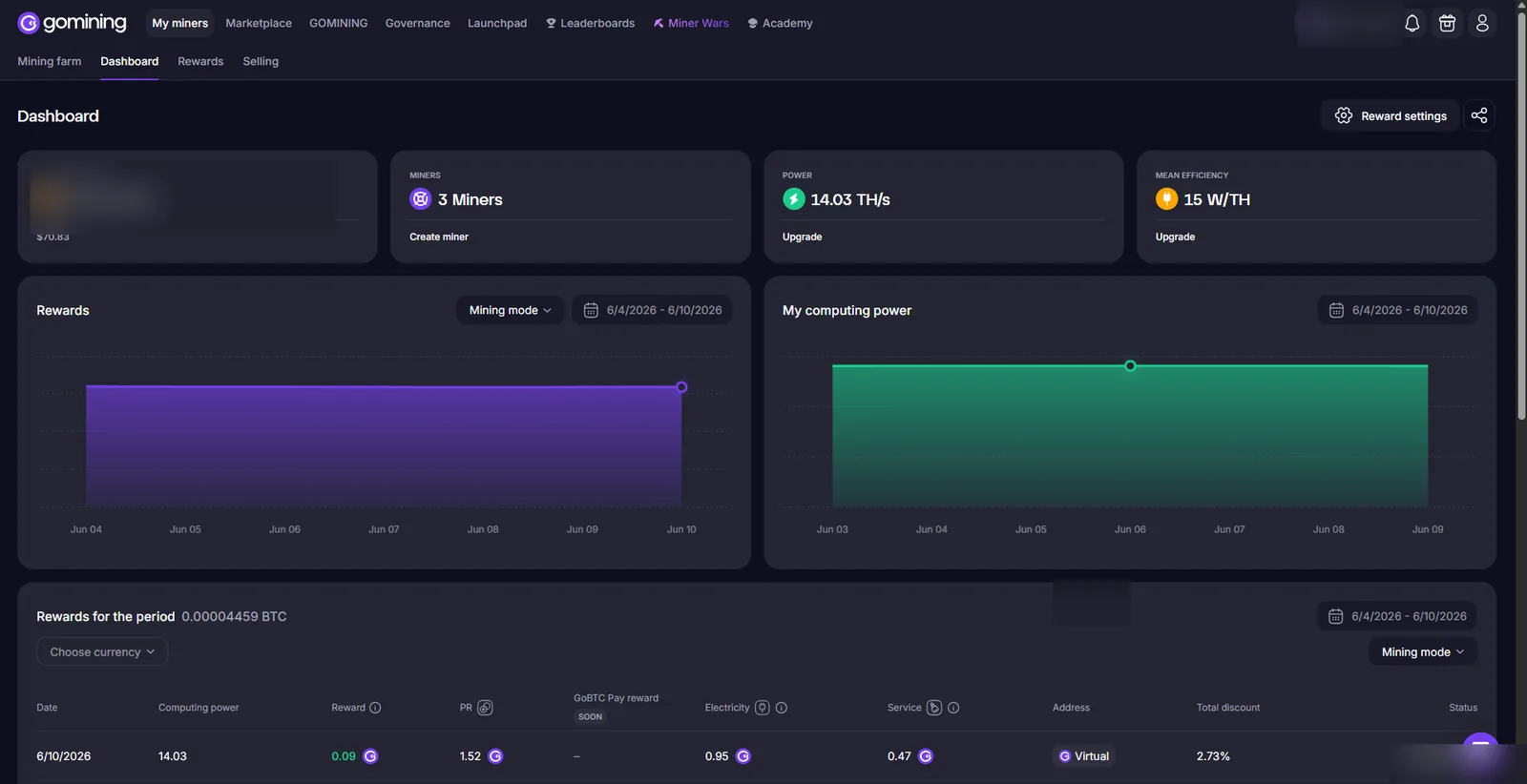
Farm overview
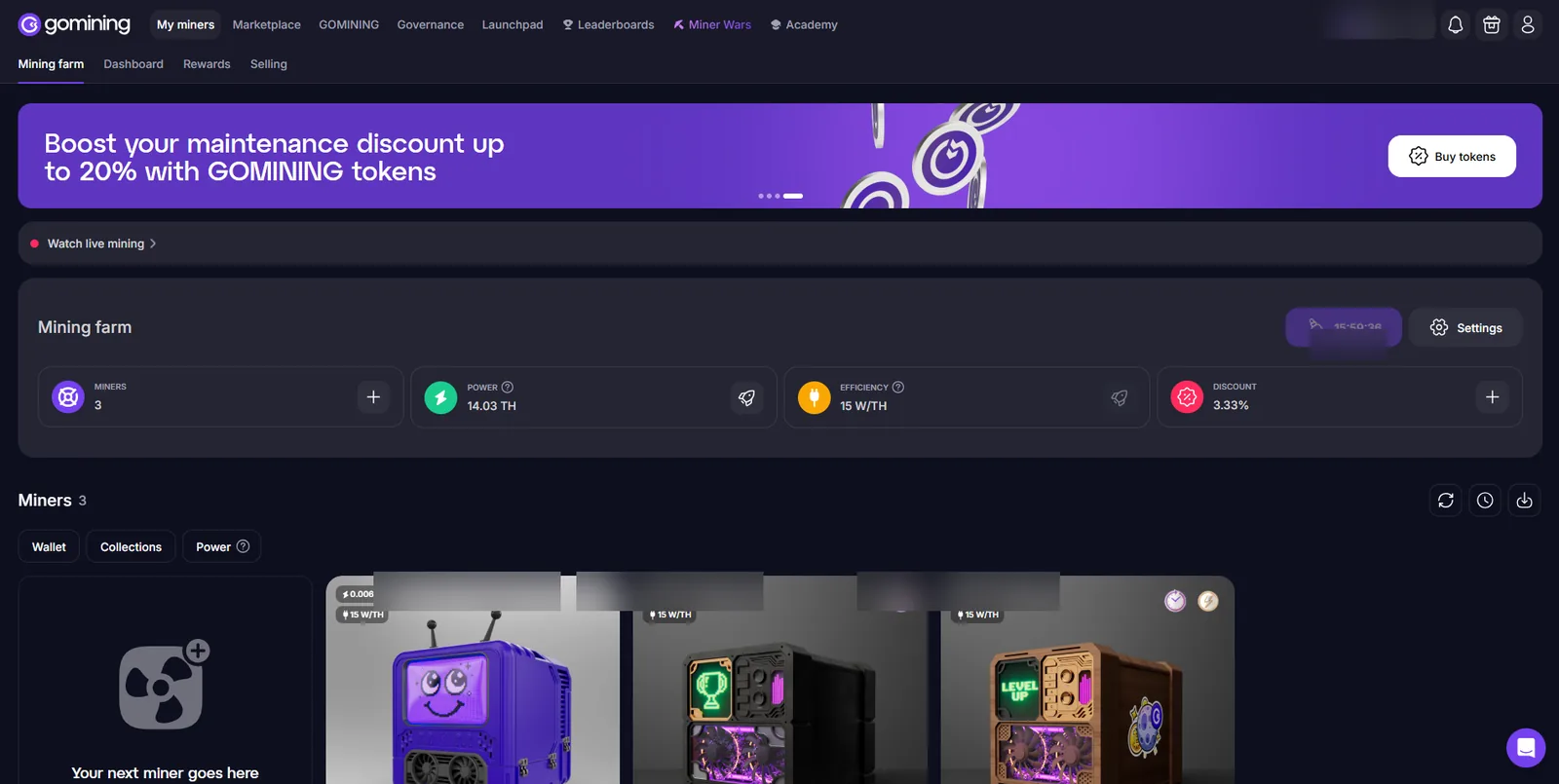
Miner card
Rewards history
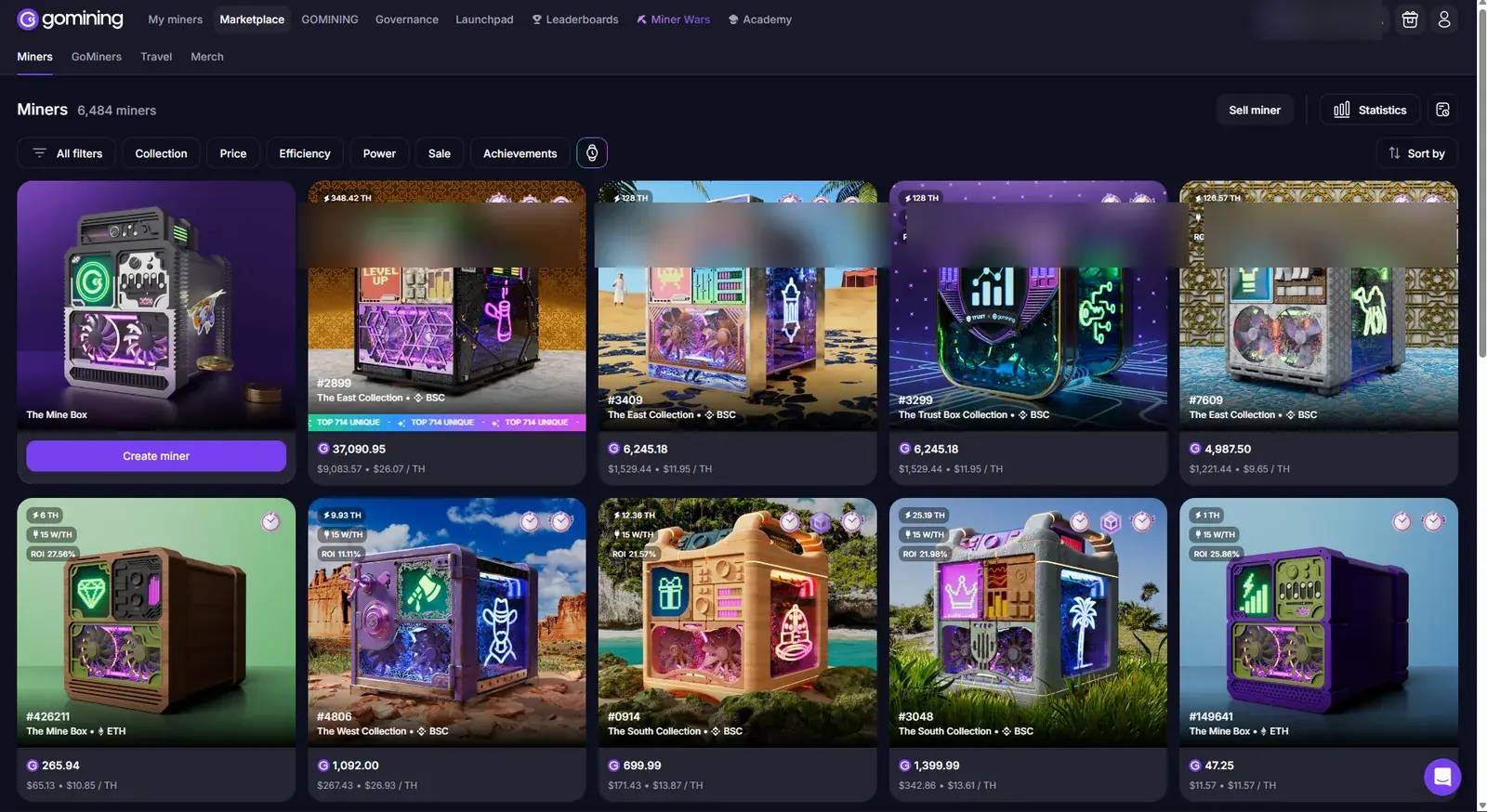
Marketplace
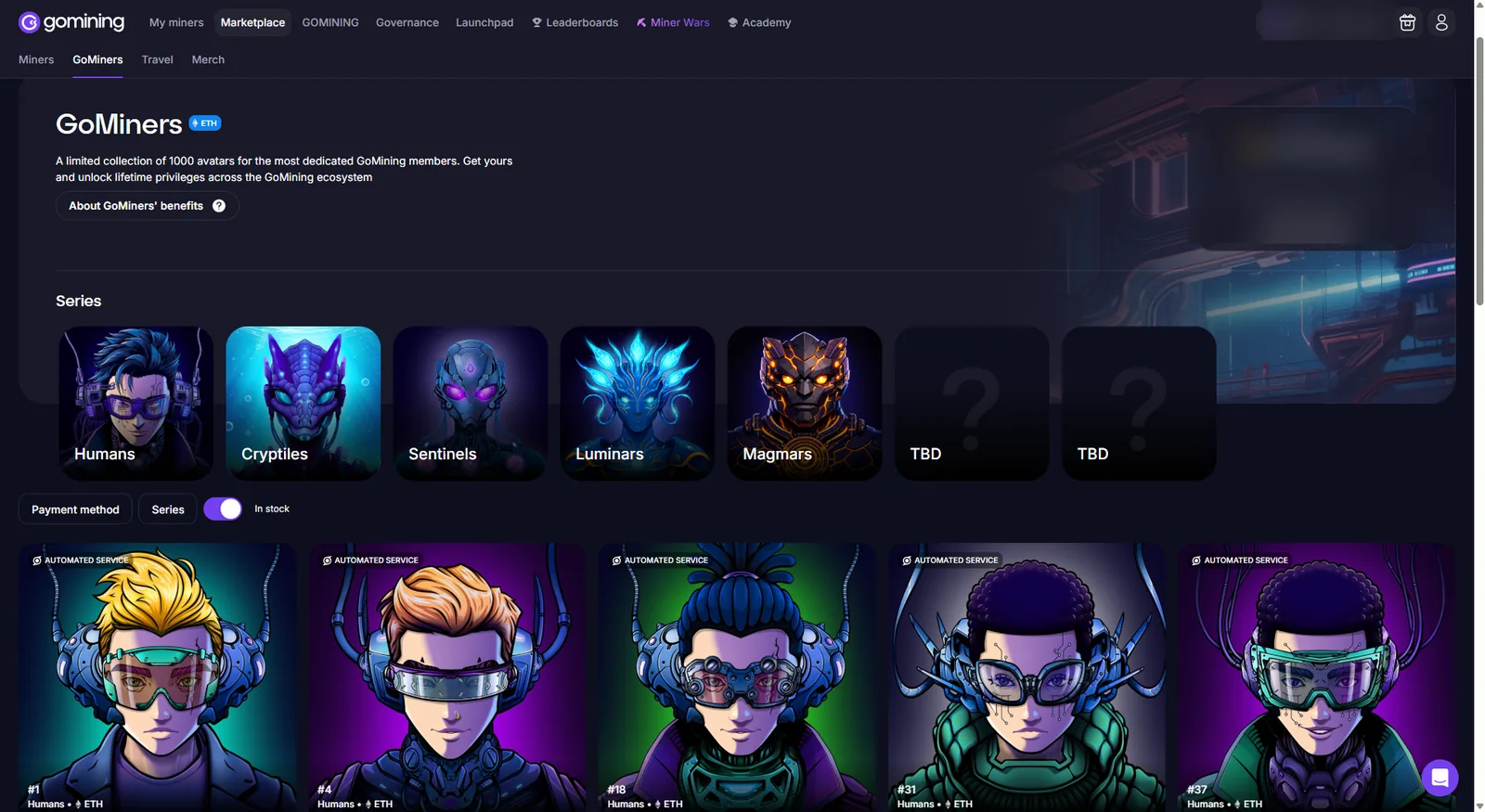
GoMiners
Short summary
This manual is meant to make GoMining feel less mysterious. If you only remember three things, remember these: understand the miner, read the official docs and compare the net result instead of the headline promise.
When you are ready, move to the internal GoMining hub pages on CloudMiningROI or open the simulator to test the assumptions first.