How to Buy GoMining Miners Step by Step
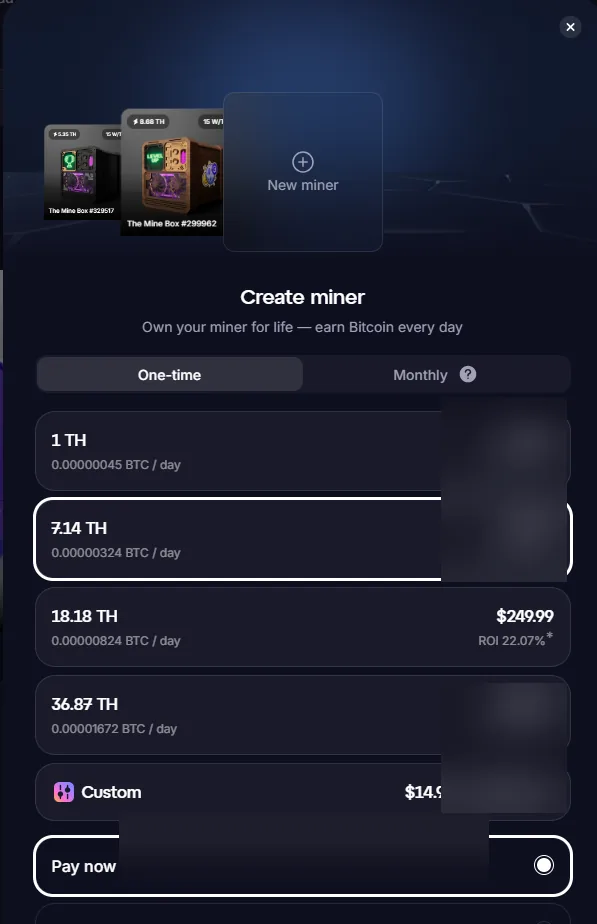
GoMining create miner one-time purchase screen
This guide explains how to buy gomining miners step by step from a practical investor and user perspective. It is written for readers who want to understand what the feature does, how it affects GoMining profitability, and how to model it in CloudMiningRoI before committing capital.
Purchase flow
GoMining may offer one-time, monthly, pay-now and pay-later style purchase options depending on availability and jurisdiction. Payment options may include card, bank methods and supported crypto assets. Fees and availability can change and must be checked at the time of purchase.
Before paying
Confirm the total amount, fee, selected power, expected daily BTC figure, maintenance assumptions and whether the plan is a one-time purchase or a subscription/instalment-style arrangement.
Experience note
We keep the experience-based notes in one dedicated page: Our GoMining experience.
Related guides
- What Is GoMining? Complete Guide to Digital Bitcoin Mining
- GoMining ROI Explained: How to Estimate Profitability
- GoMining ROI Calculator: Inputs You Should Model
- GoMining Marketplace Guide: How to Evaluate Digital Miners
- GoMining Pricing and Payment Options
- GoMining Risks: What Investors Should Understand
Questions
Have questions? Read the GoMining FAQ.
Sources and editorial notes
References are linked with descriptive text so the page remains readable and accessible.
- GoMining Digital Miners overview
- GoMining miner documentation
- GoMining tokenomics page
- Miner Wars help center
- GoMining whitepaper
CloudMiningRoI.com does not target users in excluded jurisdictions. Availability can change; users must verify eligibility, tax treatment and local regulation before using any product.
Next step
Model conservative, neutral and optimistic cases before buying or upgrading a miner.